Contents
- 1 Aadhaar-UAN Linking Deadline: EPFO Says No More Extensions, It Is Mandatory Now
- 1.1 The Final Warning: What Does the New Order Say?
- 1.2 Why Should You Be Worried? (The Consequences)
- 1.3 How to Check If You Are Safe?
- 1.4 Step-by-Step: Link Aadhaar with UAN Online
- 1.5 The “Name Mismatch” Headache
- 1.6 Using the UMANG App (The Easiest Way)
- 1.7 Offline Method for Those Who struggle with Tech
- 1.8 What Should Employers Do?
- 1.9 Conclusion
- 1.10 Frequently Asked Questions
Aadhaar-UAN Linking Deadline: EPFO Says No More Extensions, It Is Mandatory Now
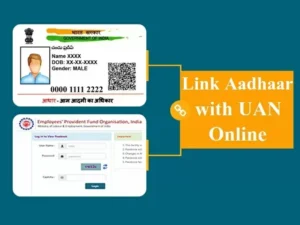
Aadhaar-UAN linking deadline is a phrase that has been worrying many employees and employers for months. If you are a salaried person in India, this news is extremely important for your financial health. The Employees’ Provident Fund Organisation (EPFO) has officially put its foot down. They have confirmed that there will be no further extension for linking your Aadhaar card with your Universal Account Number (UAN). For a long time, the government gave relaxations, especially for companies in the North-East and certain industries like construction and beedi making. But that “grace period” is officially over. Starting from November 2025, if your Aadhaar is not seeded and verified with your UAN, your employer simply cannot deposit your Provident Fund (PF) money. Yes, you read that right. The portal will block the payment. This is not just a warning anymore; it is a strict rule that affects your retirement savings directly. In this detailed guide, we will tell you exactly what this new order means, why it is dangerous to ignore it, and how you can fix it in 5 minutes sitting at home.
The Final Warning: What Does the New Order Say?
For the last few years, EPFO has been pushing for a “One Employee, One Account” system. To make this work, Aadhaar is the key. The deadline to link these two documents kept getting extended because many people faced technical issues or name mismatch problems. The last relaxation was given until October 31, 2025, for specific zones. Now, that date has passed.
In a fresh circular, EPFO has clarified that employers can only file the “Electronic Challan-cum-Return” (ECR) for those employees whose Aadhaar is linked. ECR is basically the monthly list that your company sends to EPFO with your PF contribution. If your name is on that list but your Aadhaar is not linked, the system will reject your name. This means even if your company wants to pay your PF, the EPFO system will not accept it. This rule applies to everyone now—whether you are a software engineer in Bangalore or a tea garden worker in Assam.
Why Should You Be Worried? (The Consequences)
You might think, “Okay, I will do it next month, what is the big deal?” Actually, it is a very big deal. If you miss this, the impact on your money is immediate and severe.
First, your monthly savings stop. Your employer deducts 12% from your salary for PF. If they cannot deposit it because of this linking issue, that money sits in limbo. It does not earn any interest. Second, and this is more dangerous, is the break in service. Your Pension (EPS) depends on your “continuous service.” If no contribution comes for 3-4 months because of this issue, it looks like a break in your job history. This can create huge problems when you try to withdraw your pension money or apply for a pension certificate after 10 years of work.
Third, you cannot take any advance. Imagine you have a medical emergency or a wedding in the family. You try to apply for a PF advance online. The first thing the system checks is your Aadhaar seeding. If it is not there, you cannot even open the withdrawal form. You are essentially locked out of your own money.
How to Check If You Are Safe?
Before you panic, you should check your current status. Many companies have already done this for their employees. Here is a simple way to check if you are safe:
- Go to the EPFO Unified Member Portal on your mobile or laptop.
- Login using your UAN and Password.
- Go to the “Manage” tab in the top menu and select “KYC”.
- Look at the list of “Approved KYC”.
- If you see your Aadhaar number there and the status says “Verified” or “Approved”, you are safe. You do not need to do anything.
- If you see “Not Available” or if it is in the “Pending” list, you need to act immediately.
Step-by-Step: Link Aadhaar with UAN Online
If you found that your Aadhaar is not linked, do not run to the PF office agents who charge money. You can do it yourself for free. Follow these simple steps:
Login to the same EPFO portal we mentioned above. Under the “Manage” tab, click on “KYC”. You will see options to add Bank, PAN, and Aadhaar. Click on “Aadhaar”. Enter your 12-digit Aadhaar number and your name exactly as it is on the card. Click on “Save”.
Once you click save, the system will verify your details with the UIDAI database automatically. If your name and date of birth match perfectly, it will get verified. Sometimes, it might go to your employer for digital approval. You should call your HR and ask them to approve it using their digital signature. Once they do it, it is done. It usually takes 2-3 days.
The “Name Mismatch” Headache
This is the most common problem in India. Your name in school certificates (and thus PF) is “Ravi Kumar S” but in Aadhaar it is “Ravi Sharma”. The system will reject this instantly. It needs a 100% match.
If you face this, you have two options. If the mistake is in Aadhaar, update your Aadhaar first. It is easier. If the mistake is in your PF account (like wrong spelling or wrong date of birth), you need to file a “Joint Declaration Form”. This used to be a physical form, but recently EPFO has allowed online corrections too. You put in a request to change your name in PF records, upload your Aadhaar as proof, and your employer approves it. Once the name is corrected, the linking will happen smoothly.
Using the UMANG App (The Easiest Way)
If you find the website slow, use the government’s UMANG app. It is very user-friendly. Download the app and search for EPFO. Click on “e-KYC Services”. Select “Aadhaar Seeding”. Enter your UAN and get an OTP on your registered mobile. Then enter your Aadhaar number. You will get another OTP on the mobile number linked to your Aadhaar. Enter that, and boom, it is linked. This method is often faster than the website.
Offline Method for Those Who struggle with Tech
If you are not comfortable with online portals, or if your mobile number is not linked to Aadhaar (which makes online OTP impossible), you have to go offline. There is a “Aadhaar Seeding Application” form available at EPFO offices. Fill it out, attach a self-attested copy of your UAN card and Aadhaar card. Submit it to the EPFO regional office or give it to your HR department. They will manually verify and update it in the system. This takes longer, maybe a few weeks, so do it only if online methods fail.
What Should Employers Do?
If you are a business owner or an HR manager reading this, the burden is on you too. You need to check your “Missing details” report in the employer portal. Identify which employees are pending. Inform them immediately. If you try to upload the ECR file and it throws an error for 5 employees, you will have to remove those 5 employees from the list to pay for the rest. This creates a mess in your accounting and legal compliance. It is better to push your staff to complete this KYC right now.
Conclusion
The government is serious about cleaning up the PF data. The Aadhaar-UAN linking deadline is not just a date on a calendar; it is a gateway to your future financial security. By enforcing this, EPFO wants to ensure that when you retire, you don’t have to run around with files to prove your identity. The money should come to you automatically. So, please do not ignore this. Check your status today. Help your maid, driver, or security guard check theirs too, as they are the ones who often face the biggest trouble with these digital rules.
For more updates on government rules and financial tips, keep visiting our latest finance news section.
Frequently Asked Questions
1. Can I deposit PF if my Aadhaar is not linked?
No, your employer cannot generate the challan for your specific account, so the deposit will fail.
2. Is this rule applicable to private companies also?
Yes, this rule applies to every establishment registered under the EPF Act, whether private or government.
3. My name is different in Aadhaar and PF. What to do?
You must correct the name in either document to make them match. Use the Joint Declaration Form for PF corrections.
4. Will I lose my PF money if I don’t link?
You won’t “lose” the past money, but new contributions will stop, and you cannot withdraw existing funds until you link.
5. Can I link Aadhaar without a mobile number?
For online linking, an OTP is mandatory. Without a mobile number linked to Aadhaar, you must use the offline method or biometric authentication at a CSC center.